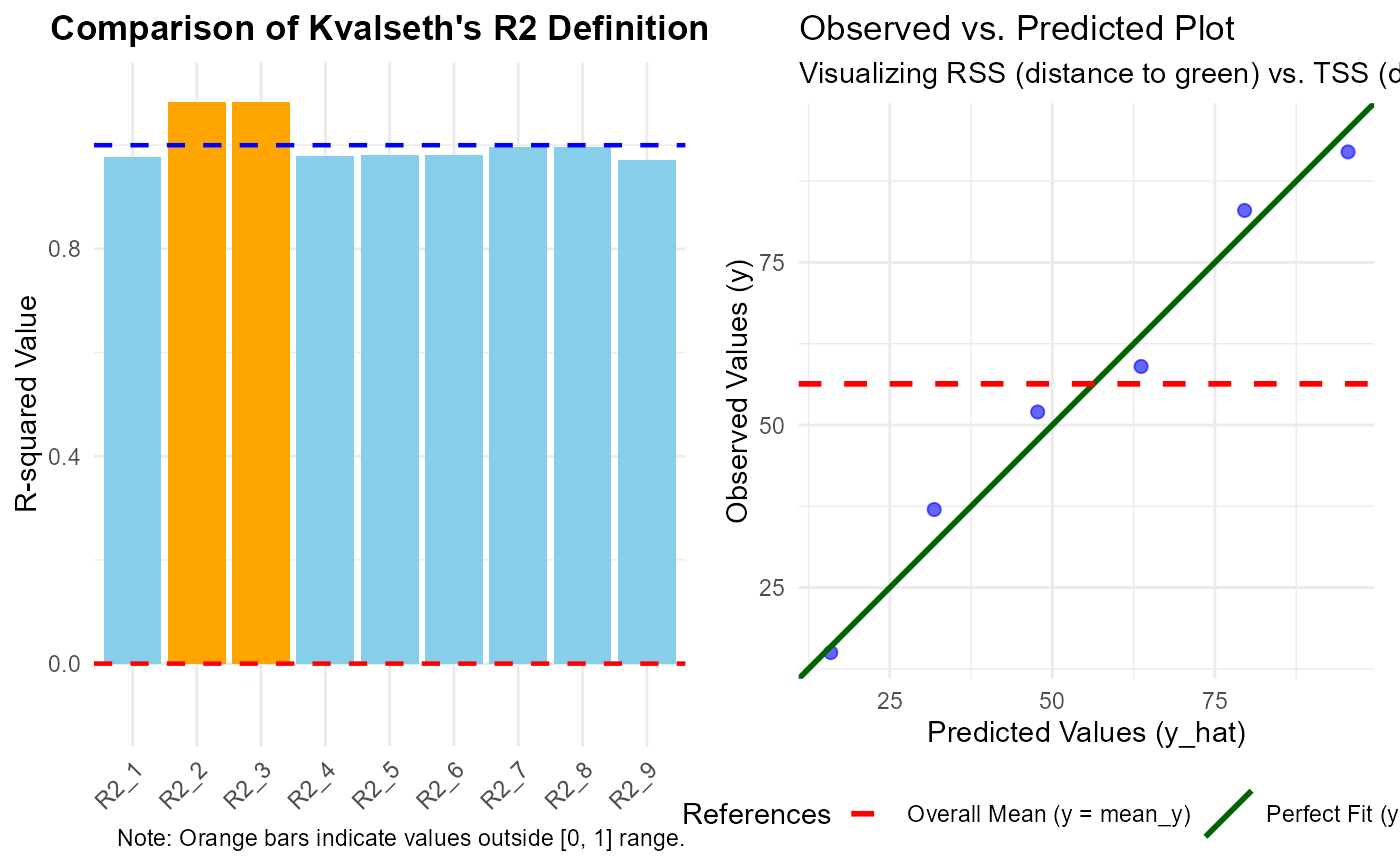
Visualizes the different R-squared definitions or provides a diagnostic observed-vs-predicted plot to understand the model fit.
Arguments
- x
An object of class
lm.- type
Character string. Selects the model type:
"linear","power", or"auto"(default). In"auto", the function detects if the dependent variable is log-transformed.- plot_type
A string specifying the plot layout:
"both"(default) displays the bar plot and diagnostic plot side-by-side,"r2"shows only the R-squared comparison, and"diag"shows only the observed-vs-predicted plot.- ...
Currently ignored.
Value
The return value depends on the plot_type argument:
For
"r2"and"diag": Returns aggplotobject that can be further customized.For
"both": Generates a combined plot using thegridsystem and returns the input objectxinvisibly.
Details
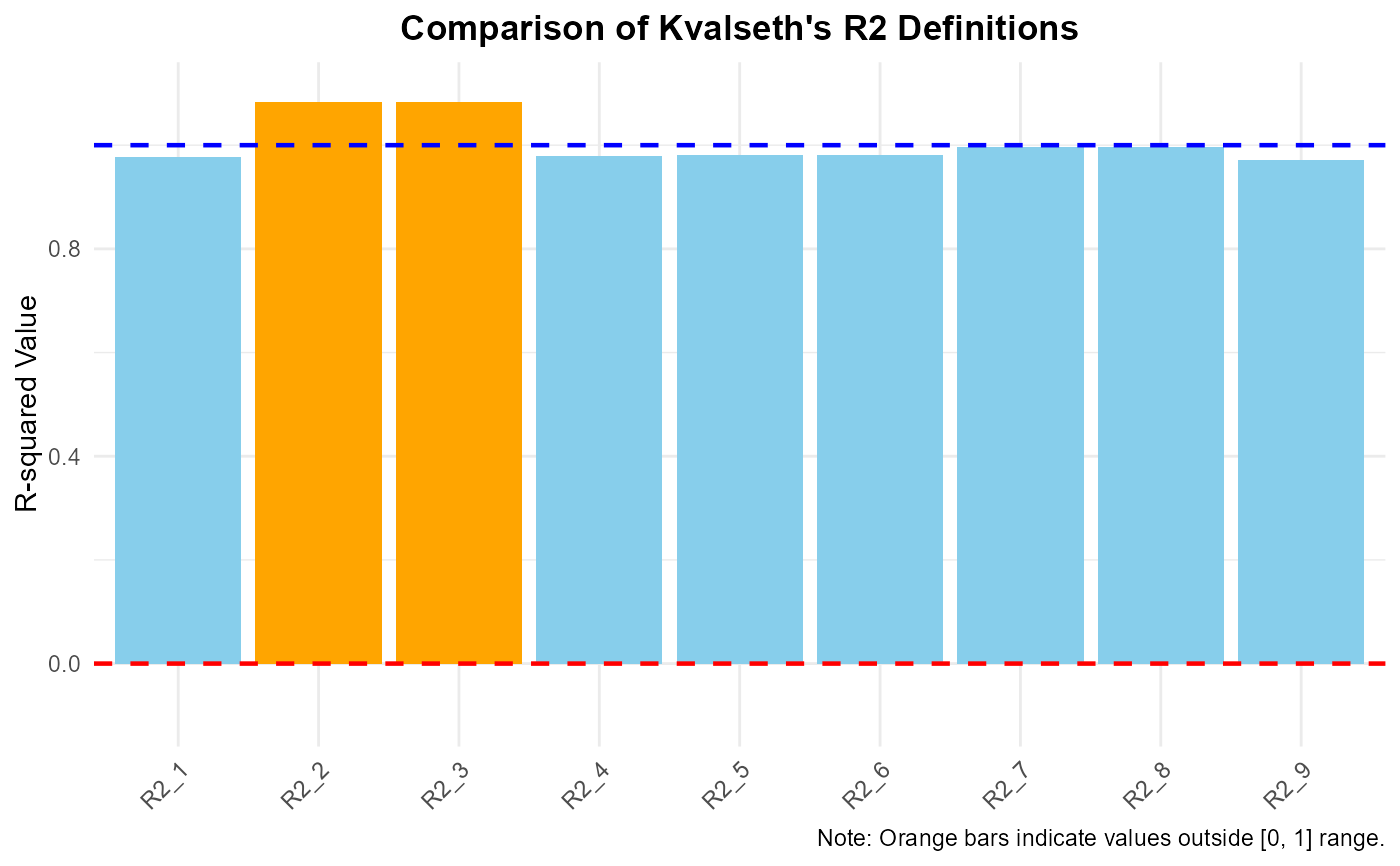
When plot_type = "r2", the function creates a bar plot comparing all nine
definitions. Bars are colored based on their validity:
Skyblue: Standard values between 0 and 1.
Orange: Values exceeding 1.0 or falling below 0.0 (warnings).
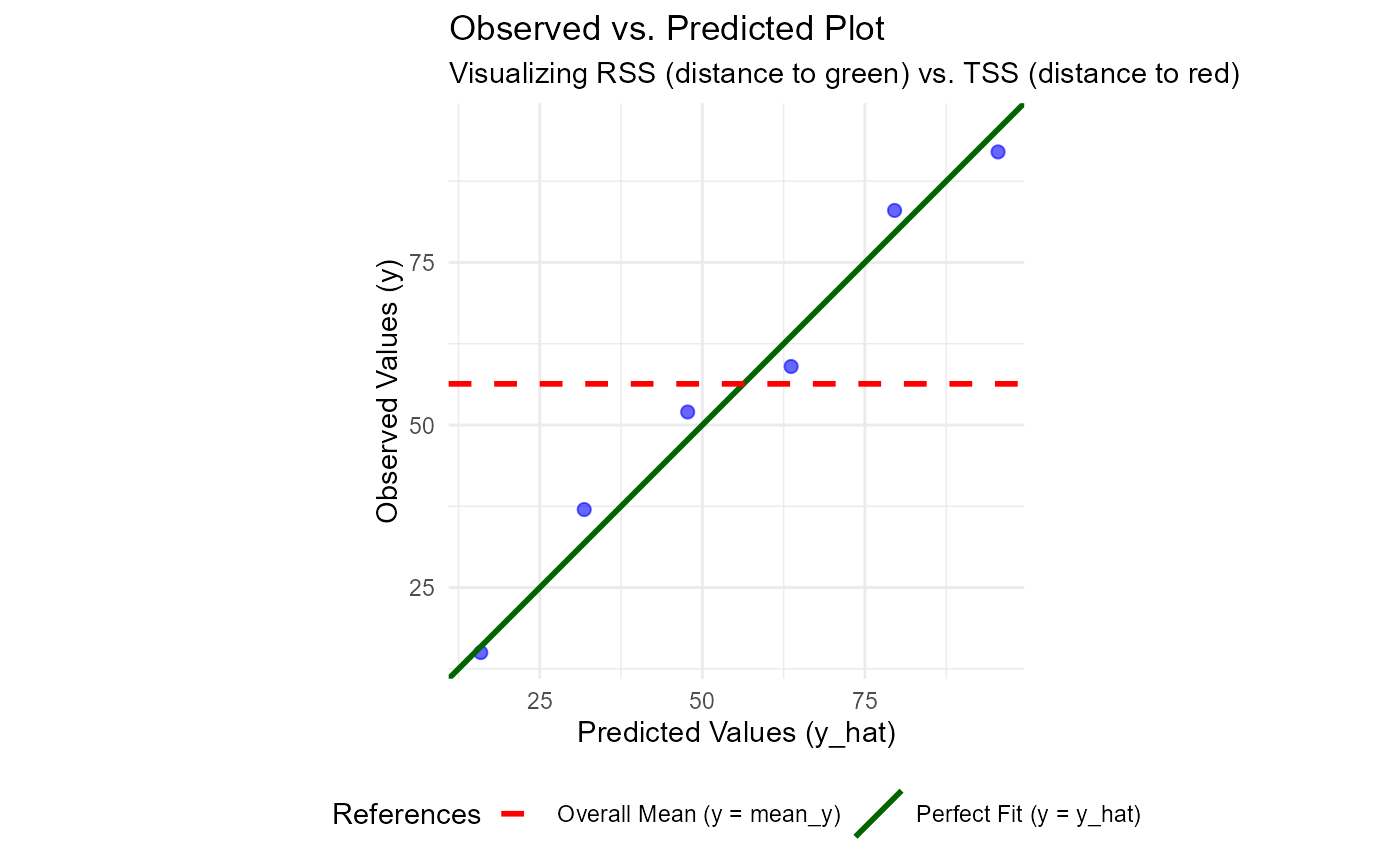
When plot_type = "diag", the function displays a scatter plot of observed
vs. predicted values. Two reference lines are added:
Darkgreen Solid Line: The 1:1 "perfect fit" line (RSS reference).
Red Dashed Line: The overall mean of the observed data (TSS reference).
If the data points are closer to the red dashed line than the green solid line, \(R^2_1\) will be negative.
Combined View (plot_type = "both"):
Automatically configures the plotting device to show both plots simultaneously
for a comprehensive model evaluation.
Examples
df1 <- data.frame(x = 1:6, y = c(15, 37, 52, 59, 83, 92))
model <- lm(y ~ x - 1, data = df1) # No-intercept model
plot_kvr2(model)
 # Compare all definitions
plot_kvr2(model, plot_type = "r2")
# Compare all definitions
plot_kvr2(model, plot_type = "r2")
 # Diagnostic plot to see why some R2 might be problematic
plot_kvr2(model, plot_type = "diag")
# Diagnostic plot to see why some R2 might be problematic
plot_kvr2(model, plot_type = "diag")